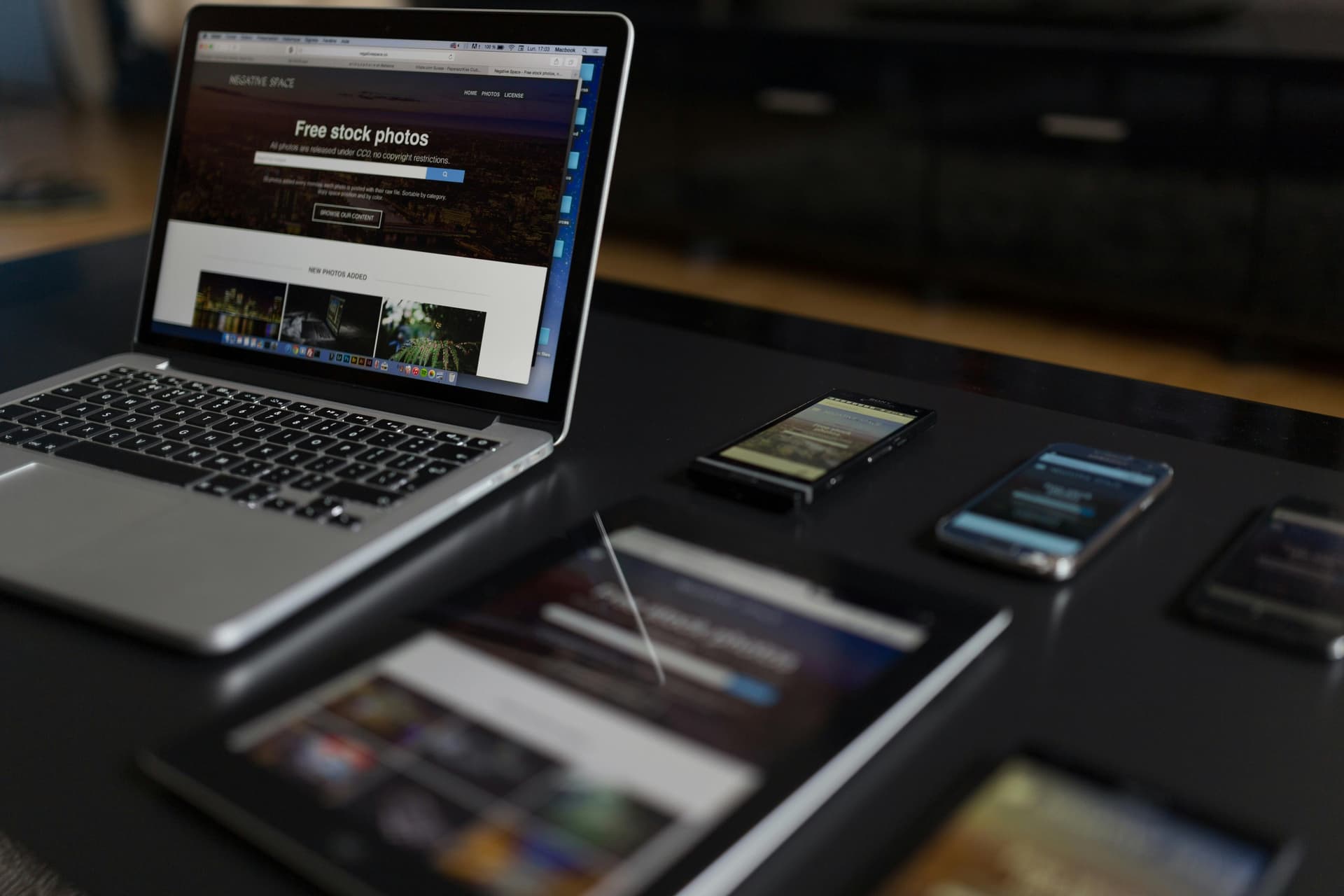

The Essence of Mobile-Responsive Design: Not Just Screen Size, But a Mindset Shift
Mobile-responsive design, contrary to common misconception, is not merely about a website mechanically adapting to different screen sizes. It reflects a fundamental philosophy of a brand's digital engagement strategy: a commitment to delivering a seamless and superior experience, regardless of the device through which users access content. By 2026, with the vast majority of internet traffic originating from mobile devices, this has transitioned from being an option to an indispensable business imperative. A website must function with the same consistency, speed, and functionality on a small smartphone screen as it does on a large desktop monitor. This is not just an aesthetic concern but a strategic decision that directly impacts conversion rates, user satisfaction, and search engine rankings. At Lyn Digital, we place this principle at the core of every project, building our clients' digital assets in alignment with the dynamics of the future.
Mobile-First Approach: Why It's an Indispensable Strategy?
The mobile-first design strategy refers to progressing from the smallest screens upwards in the development process of a website or application. Beyond being a technical preference, this approach necessitates deep prioritization regarding content hierarchy, performance optimization, and user interaction. While the traditional method of starting with desktop and adapting to mobile (graceful degradation) often leads to unnecessary code bloat, slow-loading pages, and a complex user interface on mobile devices, the mobile-first approach (progressive enhancement) delivers a lean, fast, and purpose-driven experience. For instance, when designing the menu and ordering system for a newly opened boutique coffee shop in Berlin, the primary goal is to enable mobile users to quickly select their coffee and complete their purchase. This means avoiding superfluous graphical elements, using large and accessible buttons for touchscreens, and minimizing page load times. This strategy, implemented by Lyn Digital, maximizes customer loyalty and conversion rates.
Fluid Grids: Keeping the Design Backbone Flexible
Fluid grids are one of the fundamental building blocks of responsive design. This approach utilizes percentage-based or flexible units instead of pixel-based fixed widths. For example, the width of a content block is defined as `%80` rather than 960 pixels. This ensures that the content always occupies a specific proportion of the screen, regardless of the screen size, allowing the design to adapt intrinsically. Consider the product listing page of an e-commerce site in Munich: while four products might be displayed side-by-side on a desktop, three on a tablet, and a single product occupying the full width on mobile devices. Fluid grids enable these transitions to occur seamlessly and naturally, eliminating the need for manual adjustments. This not only speeds up the development process but also guarantees the design's resilience and scalability against future device dimensions. At Lyn Digital, we aim for long-term sustainability in our projects through such architectural approaches.
Flexible Images & Media: Optimizing the Visual Load
The visual weight of websites has a critical impact on performance, especially on mobile devices. A flexible images and media strategy ensures that images and media elements like videos scale and optimize dynamically according to screen size. This encompasses various methods, from simple CSS rules like `max-width: 100%; height: auto;` to more advanced HTML5 features such as the `<picture>` element and the `srcset` attribute. For instance, presenting high-resolution apartment photos for a real estate firm in lower file sizes on mobile devices while maintaining the same quality dramatically increases page load speed. This not only improves user experience but also provides an economic benefit for users by reducing mobile data consumption. Automatic image compression and CDN (Content Delivery Network) solutions integrated by Lyn Digital maximize these optimizations, guaranteeing performance without compromising visual richness.
CSS rules like `max-width: 100%; height: auto;` are fundamental for making images mobile-responsive. For more advanced optimizations, the `<picture>` HTML element or the `srcset` attribute should be used. These techniques allow the browser to select the most appropriate image based on the device's capabilities, thus saving bandwidth and reducing loading times. Additionally, Lazy Loading improves initial page load performance significantly by loading images outside the viewport only when needed.
The most common mistakes in mobile forms include: insufficient touch target sizes, small font sizes, inappropriate keyboard types (e.g., numeric keyboard for email), displaying too many fields at once, and lack of clear feedback mechanisms for erroneous entries. These mistakes cause users to abandon the form and lead to decreased conversion rates. Lyn Digital conducts comprehensive usability tests and applies user-centered design principles to prevent these errors.
Media Queries: Breakpoints and Intelligent Adaptation
Media queries are the intelligent brain of responsive design. This CSS3 feature allows the browser to apply specific style rules based on device characteristics (screen width, height, orientation, resolution, etc.). For example, when a website's width drops below 768 pixels, the menu transforms from a horizontal layout to a vertical 'hamburger' menu, or font sizes are reduced – all managed through media queries. These breakpoints should be determined not just by common device sizes, but by how the content itself looks best. On a clothing brand's product detail page, while product photos and descriptions might sit side-by-side on a desktop, having the photos at the top and descriptions below on mobile devices maximizes user experience. At Lyn Digital, we define intuitive and data-driven breakpoints to ensure a consistent and functional appearance on every device. This enhances accessibility and usability while preserving brand image integrity.
Typography and Readability: Text Management on Mobile Screens
Readability on mobile devices is a key factor in user engagement and information transfer. An incorrectly chosen font size or line height can cause users to quickly abandon the content. Responsive typography involves optimizing font sizes, line heights, letter spacing, and paragraph spacing according to screen size. For instance, body text that is 16 pixels on a desktop might be reduced to 14 pixels on mobile devices for more efficient screen use, but this reduction should never compromise readability. Furthermore, elements like contrast ratios and sufficient line spacing are vital for text blocks to be readable without straining the eyes. When designing articles for a news portal, at Lyn Digital, we not only adjust font sizes but also adapt paragraph widths and visual-text flow for the mobile environment. This guarantees maximum content comprehension and encourages users to stay on the site longer.
Touch Targets: The Ergonomics of User Interaction
On mobile devices, users interact with their fingers, which introduces different ergonomic requirements compared to mouse clicks. Touch targets refer to designing a button, link, or interactive element to be sufficiently large and with adequate spacing between them. Google's recommended minimum touch target size is 48x48 pixels, providing an area that can be comfortably tapped with a finger. For example, a small 'Book Now' button on a hotel reservation site could lead users to accidentally tap another element or experience a frustrating interaction. This situation directly results in lost conversions. Lyn Digital tests each interactive element in its designs by simulating real user finger movements, ensuring the highest standards of accessibility and usability. This meticulousness enhances user satisfaction while minimizing error rates and increasing task completion rates.
Performance Optimization: The Critical Role of Mobile Speed in Business Success
Website performance on mobile devices is more than just a technical detail; it is a direct indicator of business success. Users, especially on mobile connections, have no patience for slow-loading pages. Research indicates that every second of increase in page load time leads to significant drops in conversion rates. Therefore, techniques such as optimizing images, stripping unnecessary JavaScript and CSS files, browser caching, and improving server response times are vital. At Lyn Digital, we continuously monitor websites' Core Web Vitals scores and implement aggressive optimizations for maximum performance. For instance, a financial institution's mobile app requires users to receive quotes within seconds. Here, every millisecond can determine customer loss or gain. Performance optimization not only boosts speed but also enhances organic reach by improving search engine rankings.
Navigation Design: Easy Navigation on Mobile Devices
Mobile navigation should enable users to reach the information they seek in the shortest and most intuitive way. Complex mega menus on desktops can cause chaos on a mobile screen. Therefore, mobile-specific navigation patterns such as 'hamburger' menus, bottom navigation bars, or 'accordion' menus are used. However, what's important is not just selecting a pattern, but ensuring that this pattern is compatible with the brand and content structure. For example, on a restaurant's menu, a fixed bottom navigation bar might be much more efficient for users to quickly switch between categories and place orders. Lyn Digital plans navigation design to minimize users' cognitive load and support their goal-oriented behavior. This goes beyond simply presenting a set of links; it's about creating a roadmap that aligns with the user's mental model. Clear labeling, visual cues, and logical ordering form the foundation of successful mobile navigation and indirectly enhance the quality of web design.
Form Design: Mobile Input Ease and Conversion Optimization
Filling out forms on mobile devices can be a challenging experience due to small keyboards and limited screen space. Therefore, simplicity, auto-fill, and smart keyboard types are vital in mobile form design. For instance, small details like automatically opening the numeric keyboard for a phone number field or making the '@' symbol easily accessible for an email address greatly improve the user experience. Furthermore, using step-by-step (multi-step) forms instead of presenting forms as long columns on a single page can increase completion rates without intimidating users. When designing a loan application form for a financial institution, at Lyn Digital, we keep each step as short as possible and ensure users enter information quickly and error-free by using the correct input types. These details eliminate potential friction in the conversion funnel, directly impacting sales and registration rates.
CTA Placement: Conversion Optimization on Mobile Devices
Call to Actions (CTAs) must be strategically placed and easily accessible on mobile devices. User scrolling habits and attention spans differ from desktop. Therefore, it's important for CTAs to be visible on the screen (above the fold) or positioned within the natural reach of the user's finger. For example, on an e-commerce app, a 'Add to Cart' button placed directly below the product image, with sufficient size and contrast, accelerates the purchase decision. Additionally, `sticky` CTAs remain fixed in a certain part of the screen as the user scrolls, offering constant accessibility. Lyn Digital determines the most effective CTA placement for each page using heatmaps and user behavior analytics. This not only maximizes conversion rates but also aligns with web design principles that convert sales in 2026, increasing the user's likelihood of completing a transaction.
Conversion Rate Optimization (CRO) and ROI: The Direct Impact of Mobile Compatibility on Business Results
A mobile-responsive website not only looks good but also plays a critical role in achieving direct business objectives. From a Conversion Rate Optimization (CRO) perspective, the quality of the mobile experience directly influences a potential customer's likelihood to purchase a product, fill out a form, or sign up for a service. A slow-loading page, small touch targets, or complex navigation will increase bounce rates and missed sales opportunities. Lyn Digital's experience shows that our clients who implement comprehensive mobile optimizations achieve an average increase of 20-30% in mobile conversion rates. For sites with high traffic volumes, this increase can translate into millions in additional revenue. In terms of Return on Investment (ROI), the expenditure for a mobile-responsive web design is an investment that pays back exponentially in the long run. This not only retains existing customers but also has a profound impact on acquiring new customers and brand loyalty.
Testing and Validation: Continuous Improvement and Future Readiness
Building a mobile-responsive website is not a one-time task; it is a dynamic process requiring continuous testing, monitoring, and improvement. Different device models, operating systems, and browser versions can cause a website to render differently. Therefore, testing on real devices, using automated testing tools, and gathering user feedback are crucial. Tools like Google Search Console provide valuable insights in identifying mobile compatibility issues on your website. At Lyn Digital, we subject our websites to comprehensive A/B tests and usability analyses before launch. For example, we determine which mobile menu designs or CTA variations yield higher engagement through these tests. This continuous cycle not only optimizes current performance but also ensures preparedness for future technological advancements and user expectations. A website should evolve continuously, like a living organism, keeping pace with the dynamics of the mobile ecosystem.